

Block Info
At the top of the Blocks page are details about the block leader, timestamp, epoch, total transactions (successful and failed), CUs, and block rewards.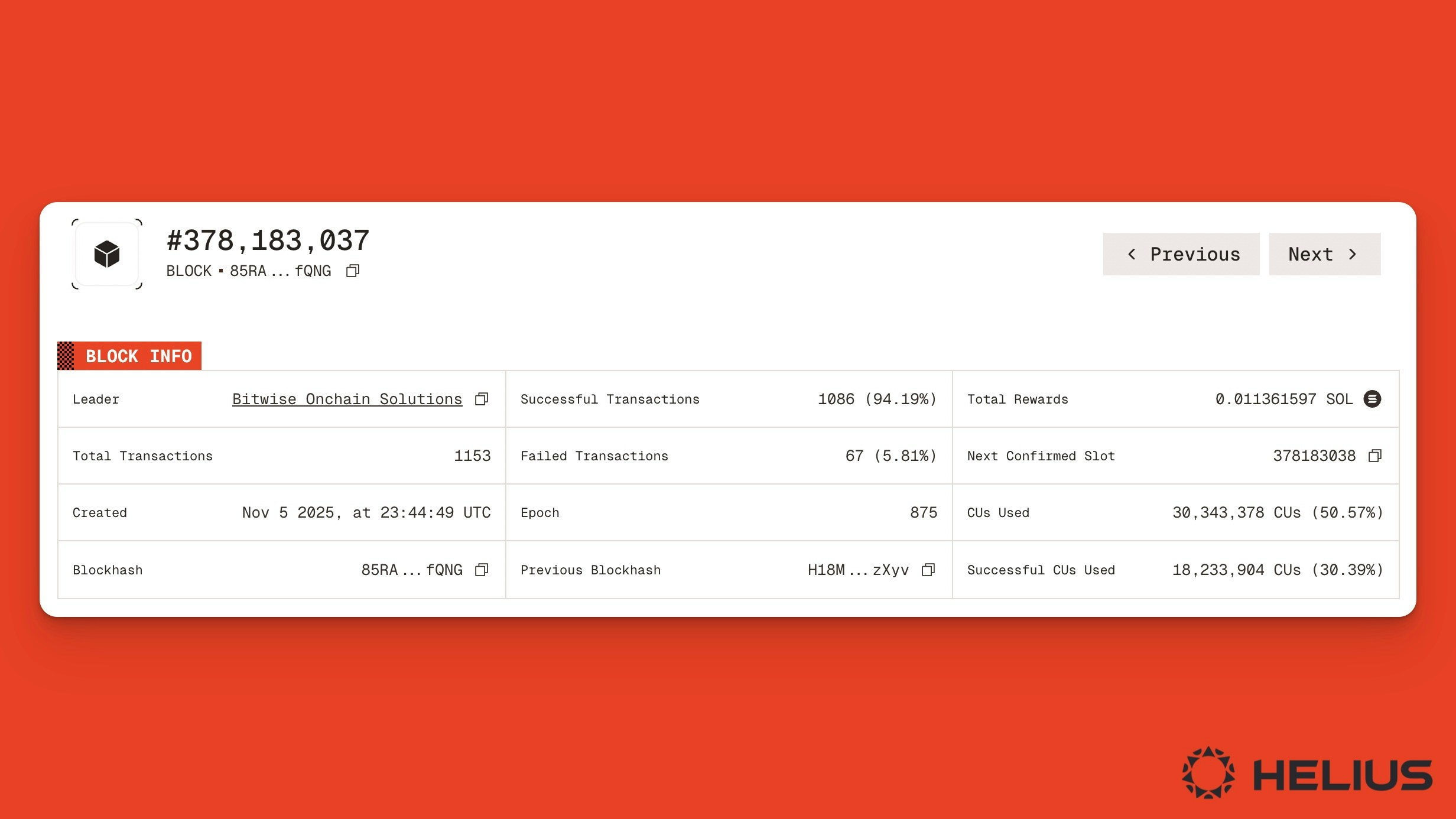
Details of the Solana block produced in slot 378,183,037.
Details about block rewards can also be found in the Rewards tab.
Block Transactions
To inspect each transaction included in a block, select the Transactions tab. Here, you can see a list of transaction types, the programs invoked, and a link to the transaction signature.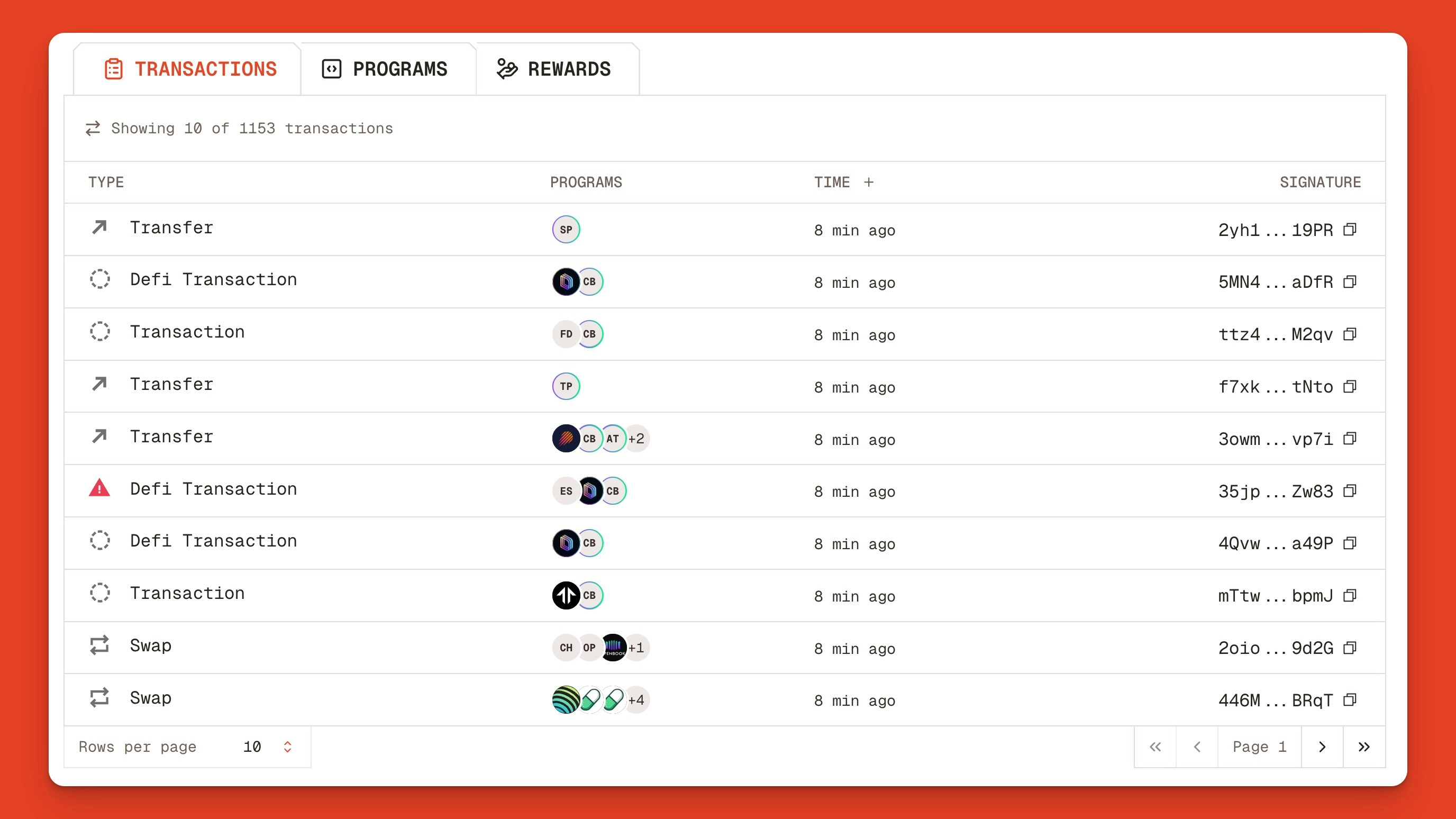
List view of Solana transactions included in slot 378,183,037.
Block Programs
To view the program statistics in a given block, click the Programs tab. Here, you can see all the programs executed in the block, along with their total number of transactions, instruction percentage, and success rate.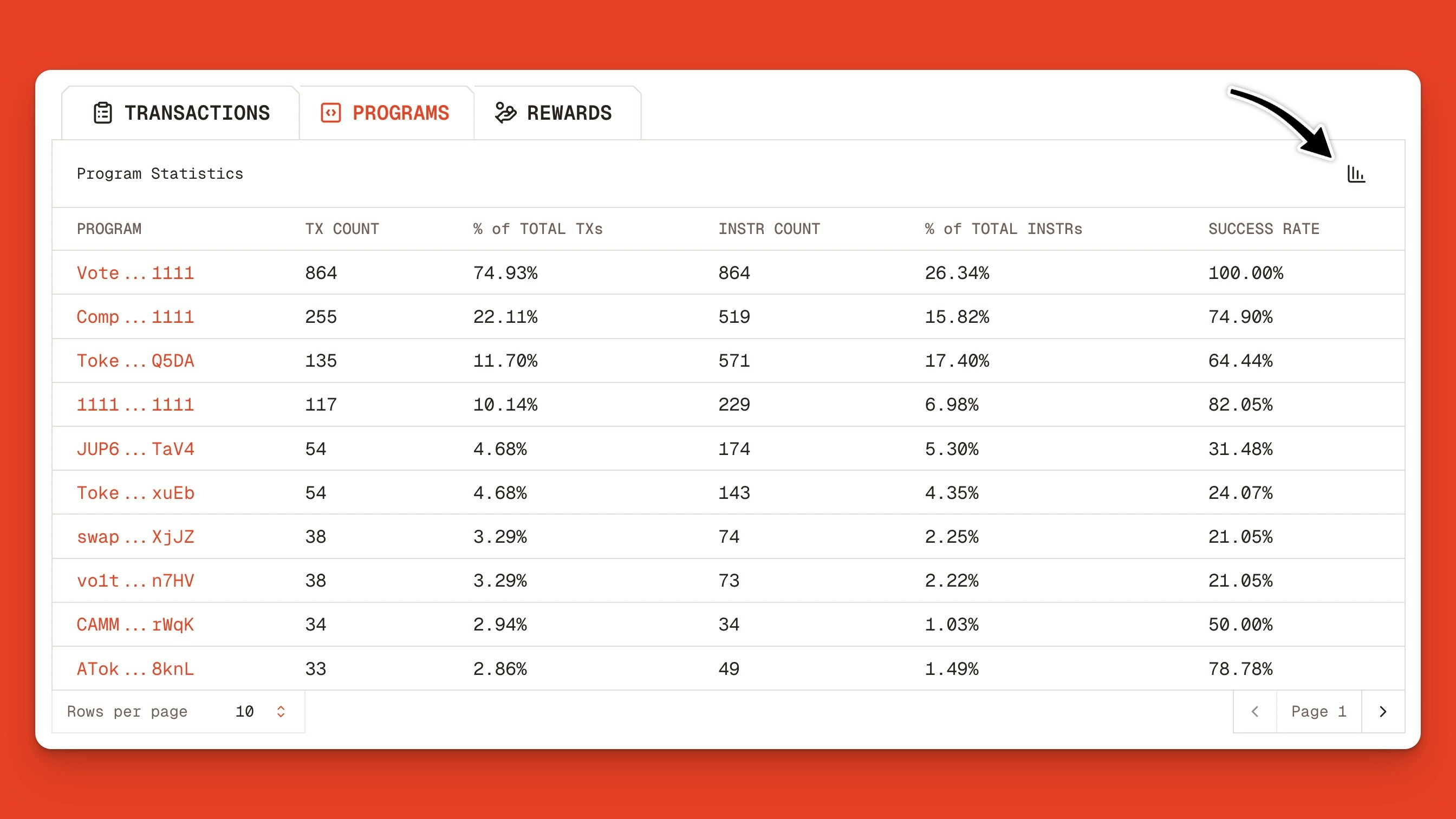
List of all programs, transaction counts, and success rates in a Solana block.
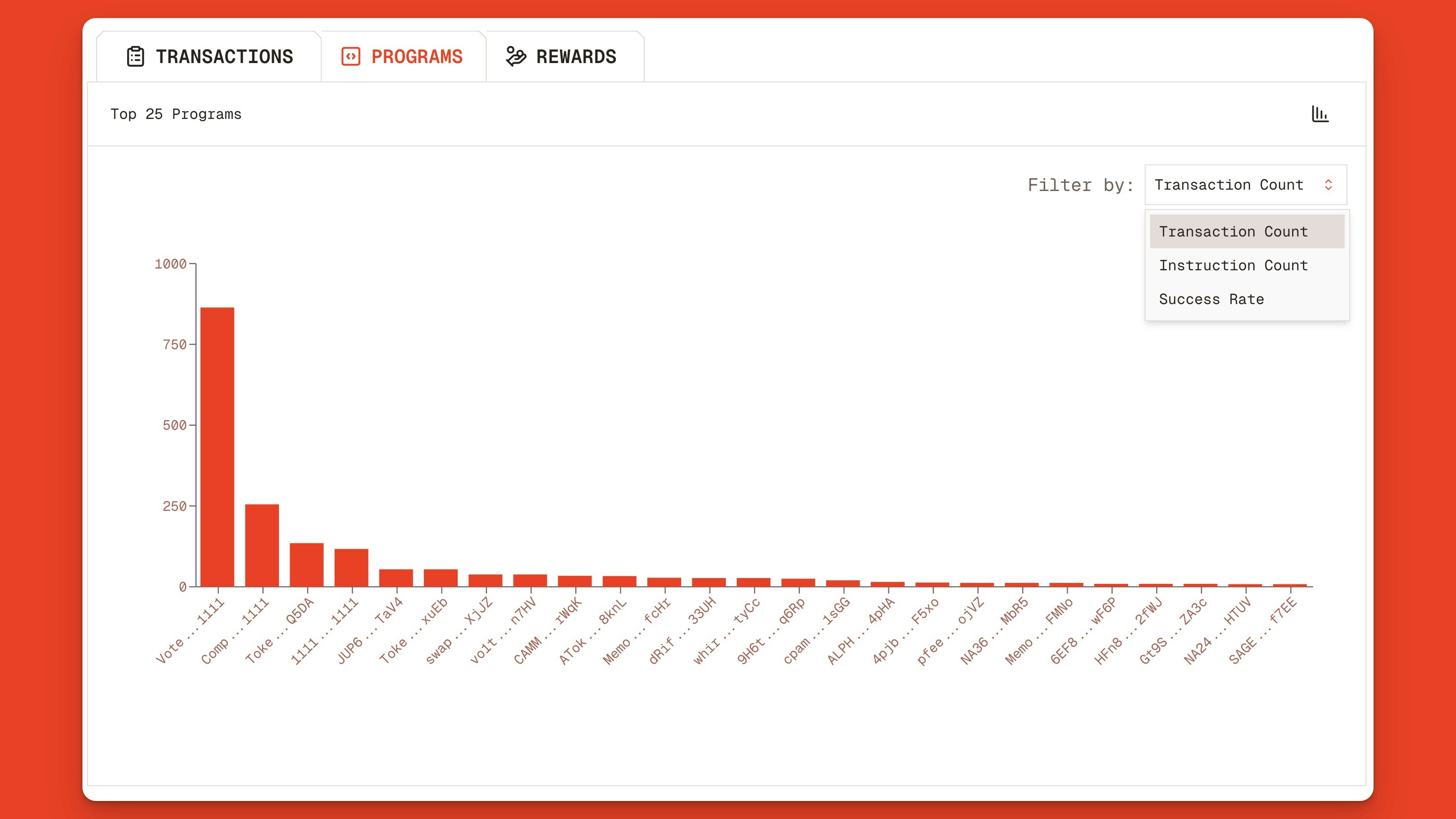
Chart of Solana programs executed during slot 378,183,037 filtered by transaction count.