

oreoU2P8bN6jkk3jbaiVxYnG1dCXcYxwhwyK9jSybcp)
Solana Token Overview
At the top of every token page, you see the most important metrics, including:- Token name, icon, and address
- Website and links to social media
- Total token supply and market cap
- Verification status and links to trading charts
- Token price, holder count, and trading volume
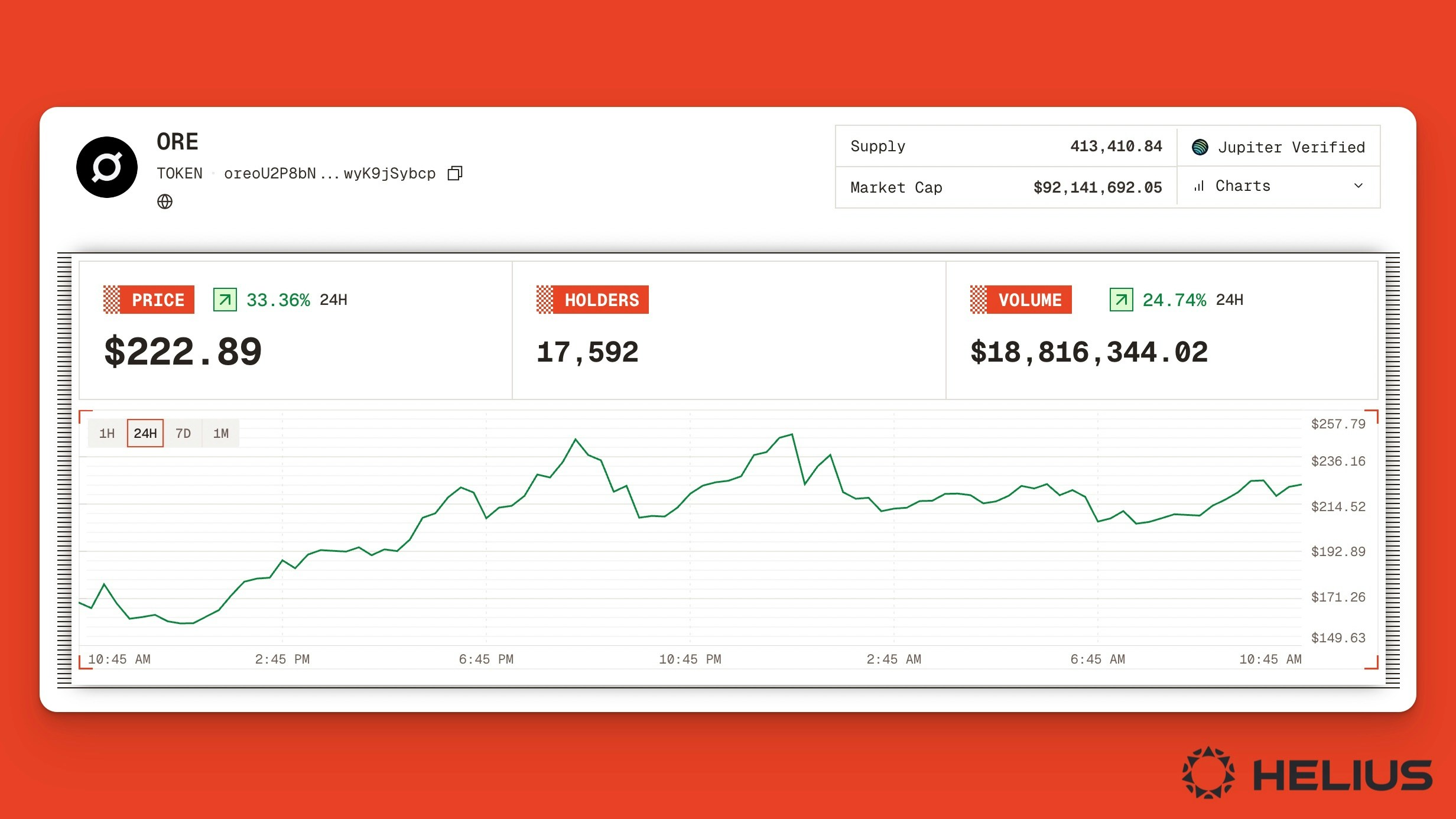
Solan token page for $ORE on the Orb block explorer.
Token Transaction History
The History tab shows a list of the token’s recent activity, including transaction types, summaries, execution time, programs invoked, and transaction signatures.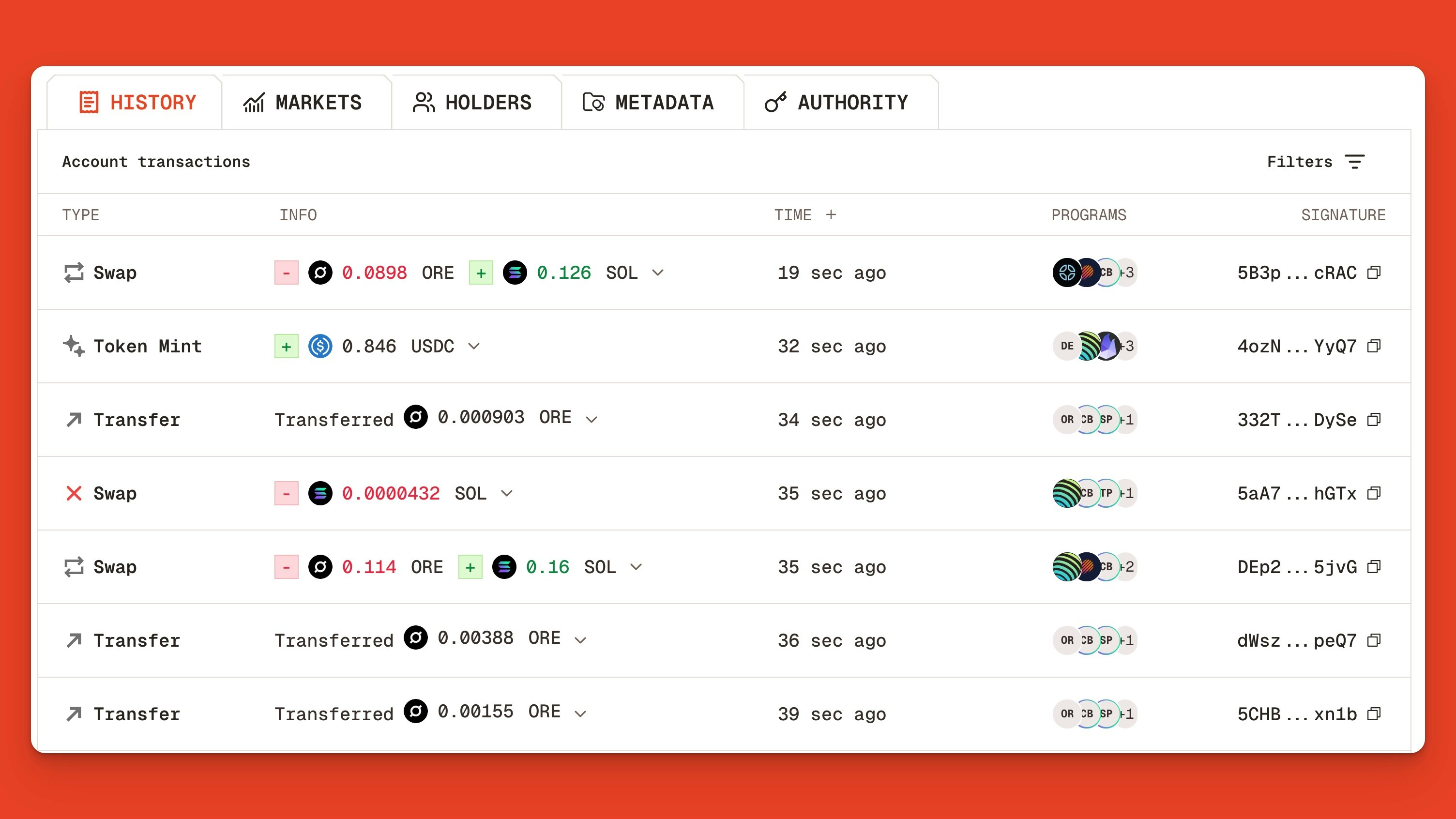
$ORE’s real-time token transaction feed showing the most recent swaps, mints, and transfers.
- Status (e.g., success/fail)
- Token (e.g., USDC)
- Program (e.g., DFlow Aggregator v4)
Token Markets
Click the Markets tab to view all liquidity pairs (e.g., ORE-SOL, ORE-USDC), trading venues (e.g., Orca, Meteora DLMM), and metrics including liquidity, 24-hour volume, total number of trades, and number of unique traders.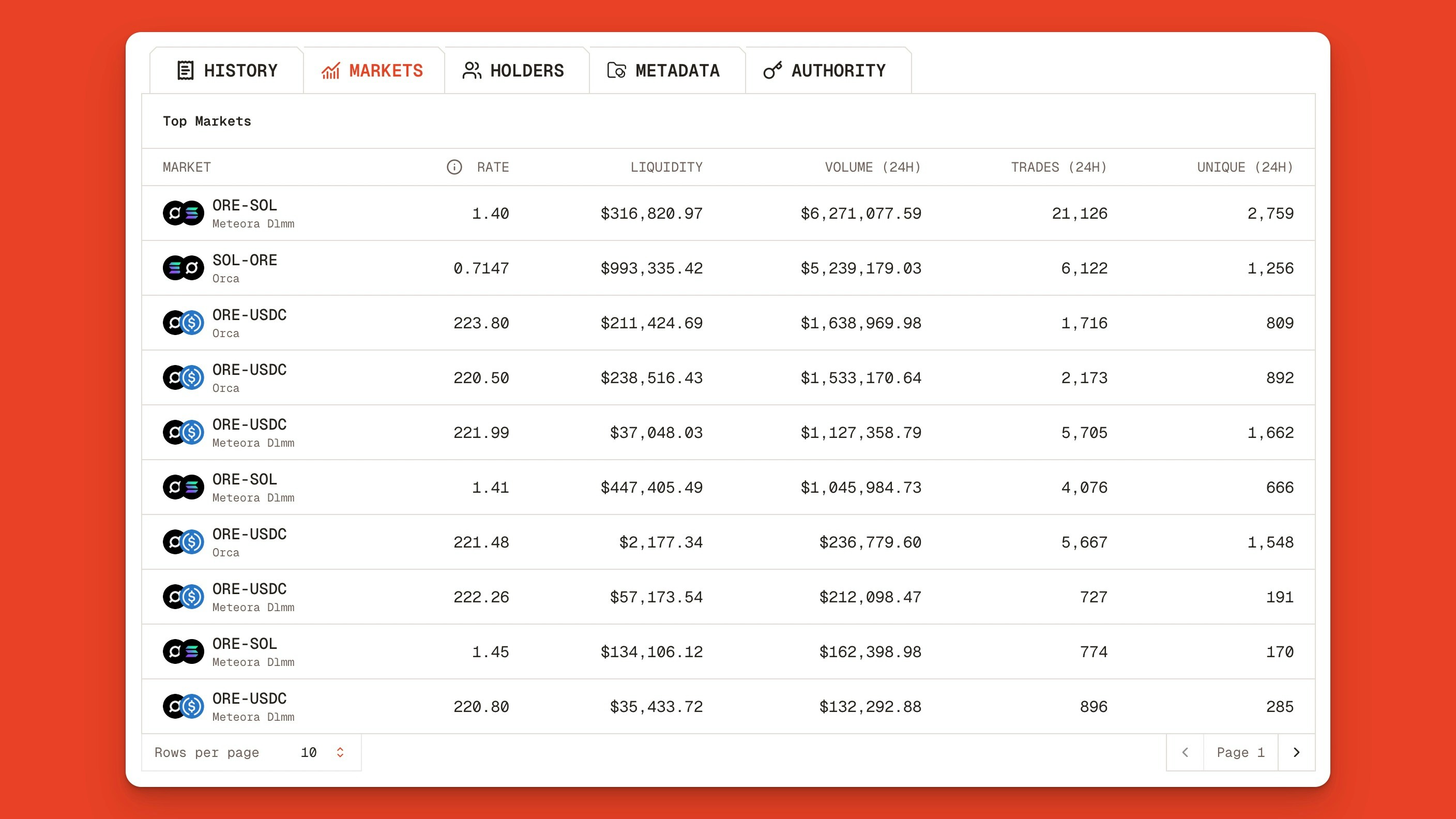
Top markets and liquidity pools for $ORE on Solana, including ORE-SOL and ORE-USDC.
Token Holders
Traders may want to verify that a token’s supply isn’t highly concentrated in a small number of holders. Clicking the Holders tab in Orb lets you quickly analyze the top wallets, their supply percentages, and value (denominated in US dollars).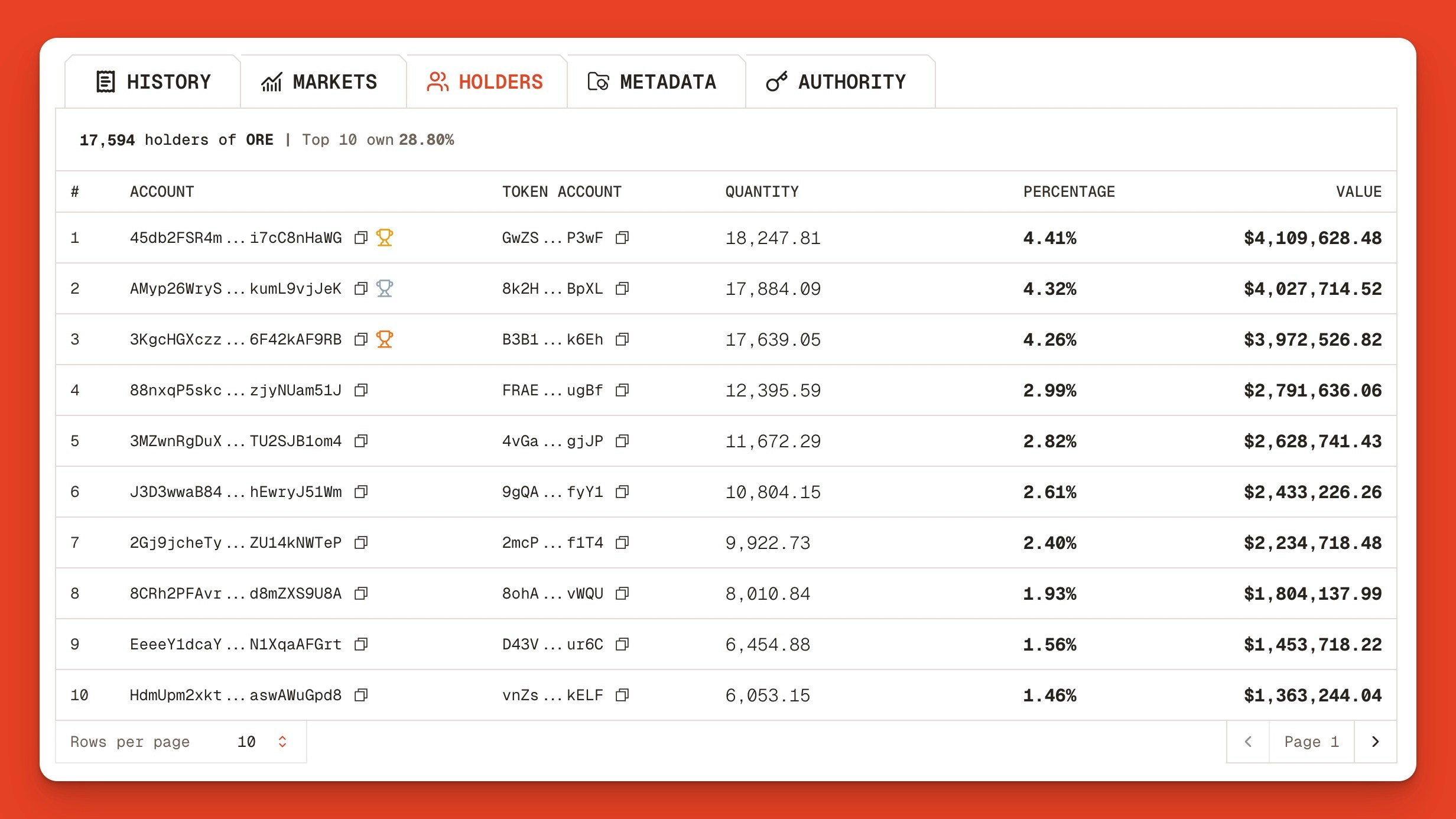
List of ORE’s token holders, token counts, percentage, and value held.
Token Metadata
To view or copy any Solana token’s metadata, click the Metadata tab in Orb. The JSON view gives the token’s key information, including links, descriptions, royalties, ownership details, and token info (e.g., ticker, supply, decimals, and mint authority).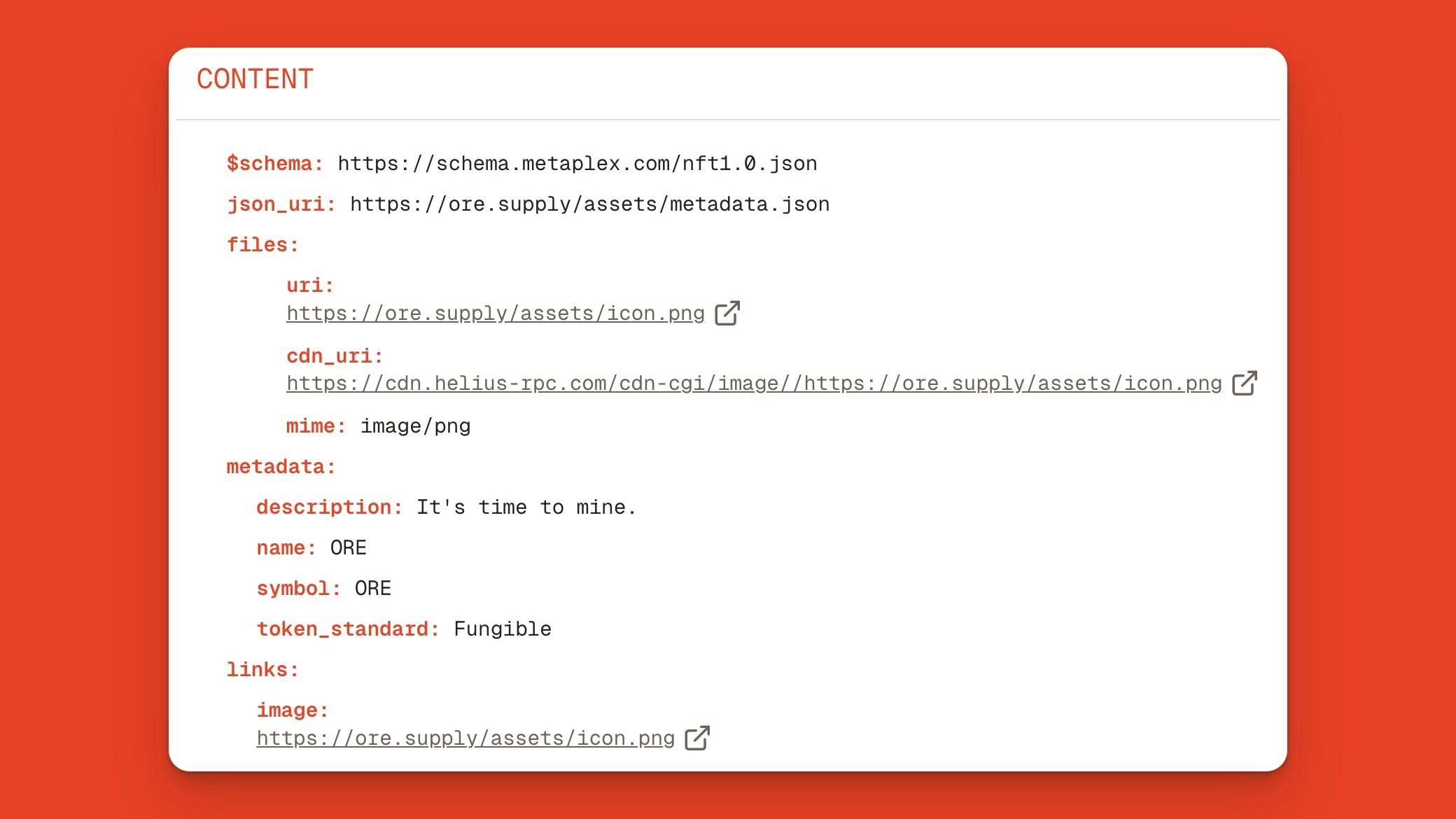
ORE's JSON token metadata, including files, descriptions, and links.
Token Authority
Authorities define the control and permissions (e.g., minting new tokens, freezing accounts, and modifying properties) of a token on Solana. Clicking the Authority tab we can see ORE’s token authorities and implications.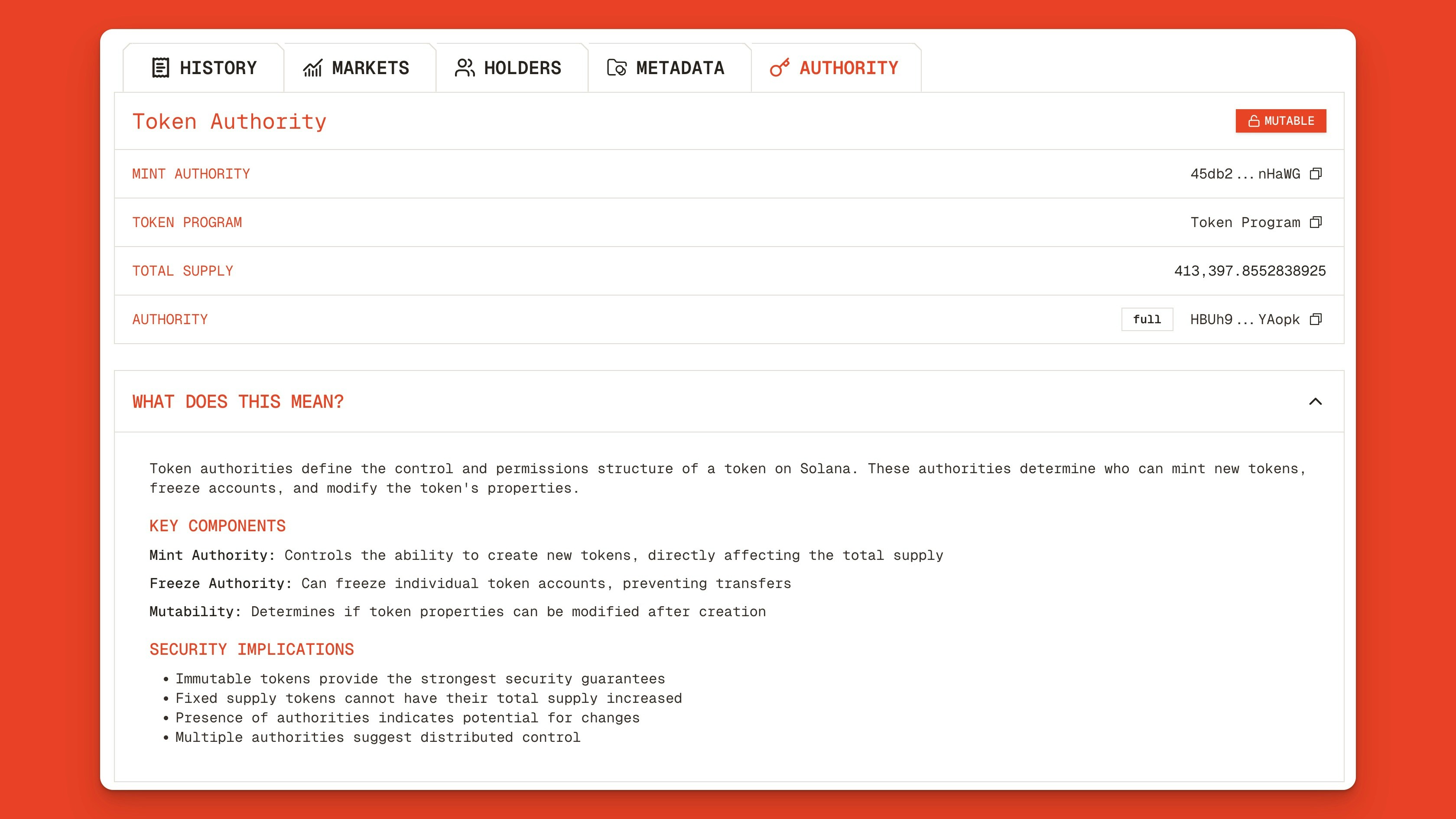
Token authority page showing ORE's authority, mint authority, token program, and total supply.