

How to Explore Solana Wallets
The primary functions of a Solana wallet explorer are to easily find tokens, balances, collectibles, and transaction histories. Wallet explorers are also valuable tools for finding specific historical transactions for filing taxes, determining the dates assets were purchased, calculating PnLs, and more.Wallet Tracker Overview
To find a wallet on Orb, enter the wallet address or decentralized domain name in the search bar. Once you click the result, you’ll be taken to the wallet explorer page. At the top of the page, you’ll see the wallet’s address and the wallet summary, including its total value, SOL balance, and balances denominated in both SOL and USD.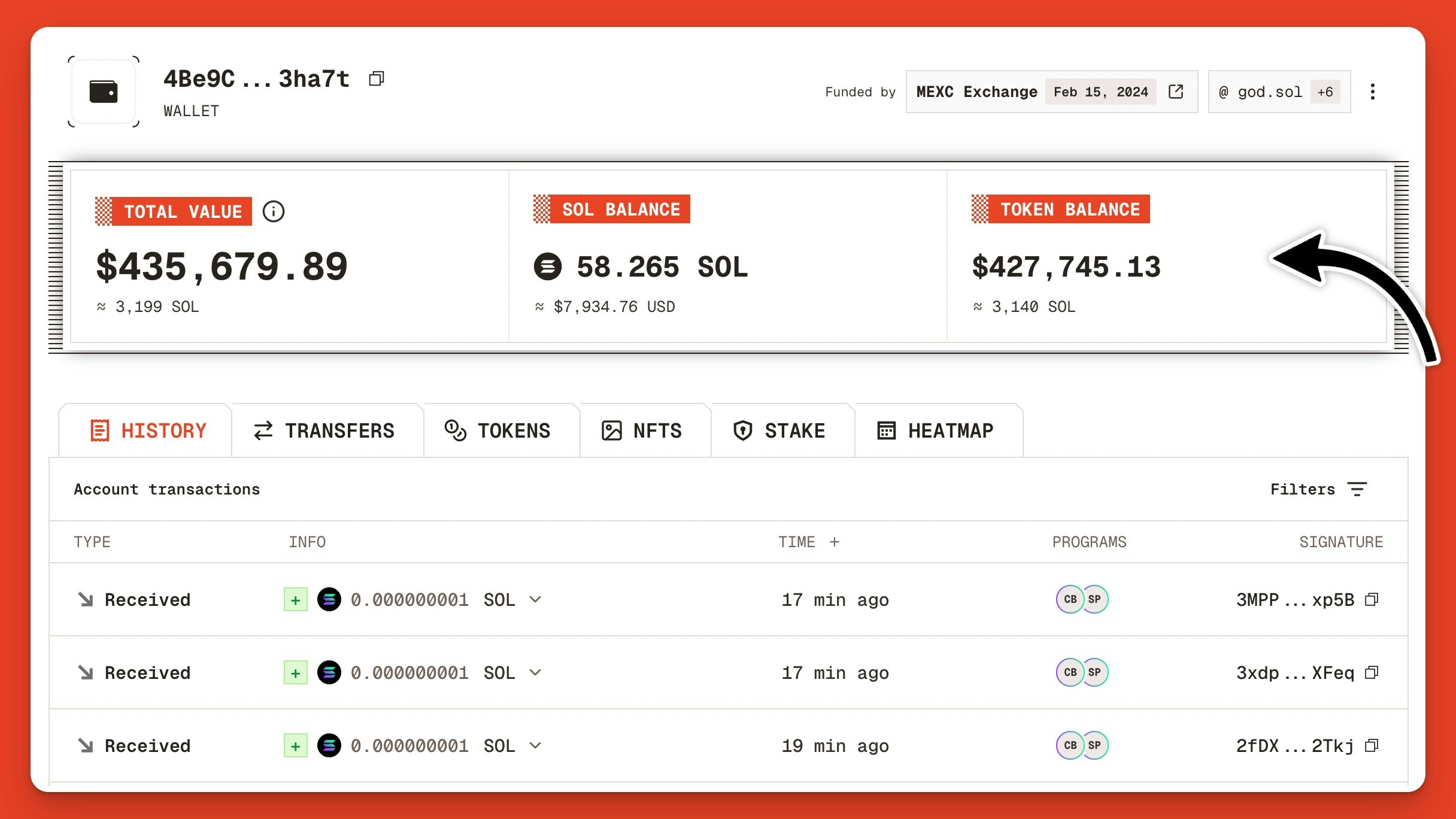
Solana wallet summary section on the Orb explorer
Track Who Funded a Solana Wallet
Next to the Solana wallet address on Orb, you’ll find a section labeled Funded by. This shows which wallet or tagged exchange account funded the wallet, along with the date.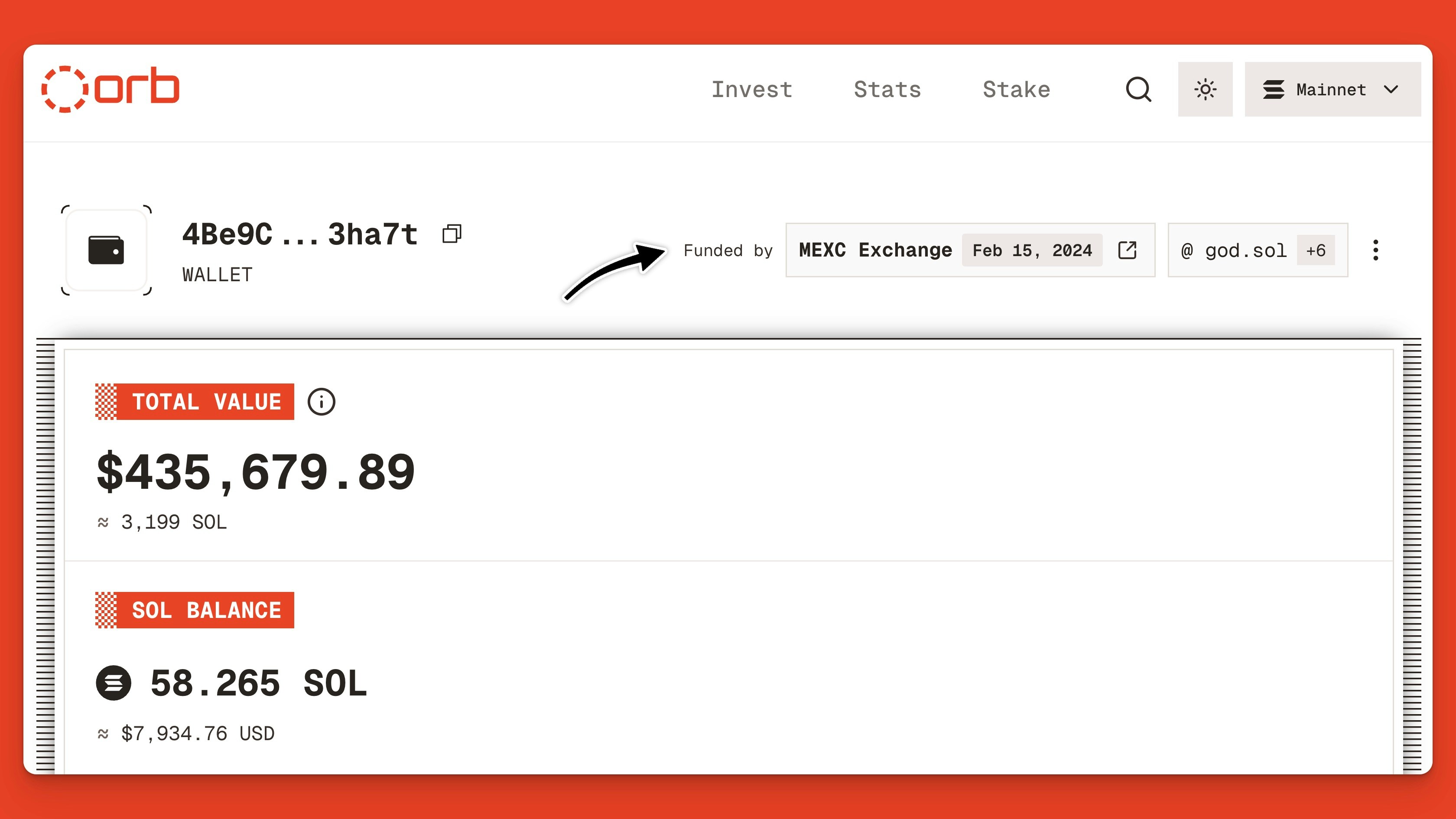
Explore the address that originally funded your Solana wallet
Find Solana Domain Names
Solana domains make sending and receiving assets on Solana easier by registering a wallet’s public key with a human-readable .sol address. Instead of copying/pasting the full wallet address into apps, you can simply type the .sol domain or AllDomains ID and it will resolve to its registered wallet address. In the top-right corner of the wallet explorer page, you can find all of the SNS domains registered to the current wallet. For this example, we’re using god.sol, a well-known Solana memecoin trader.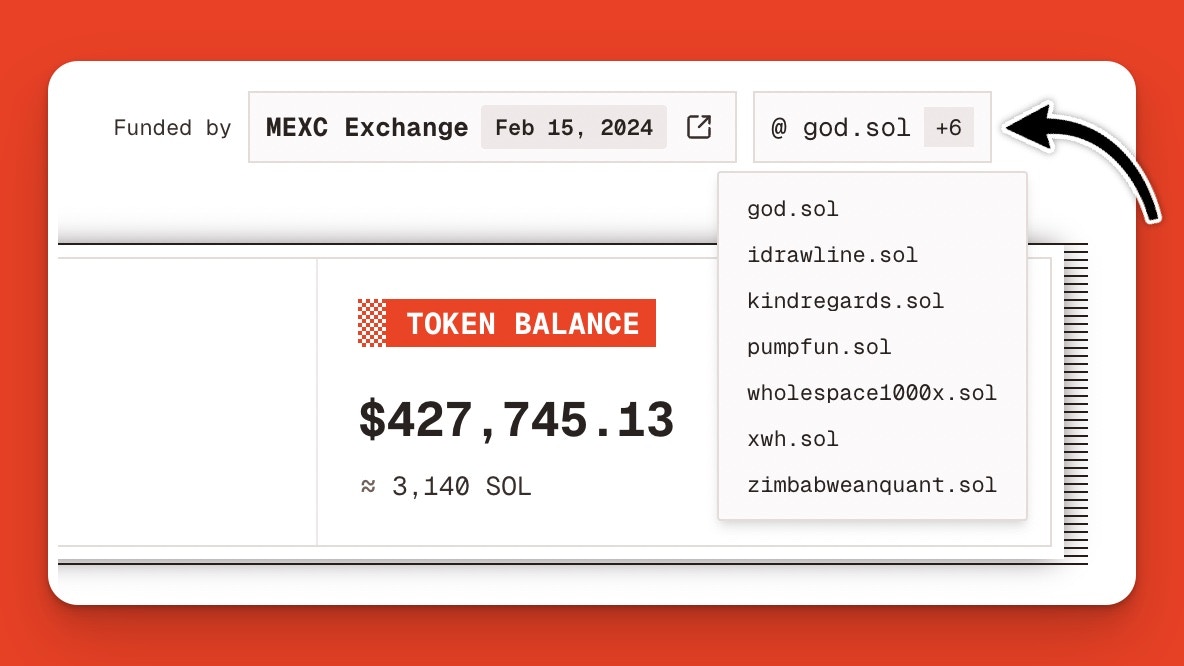
Explore Solana domain names registered to your wallet
Check Your Wallet’s Tokens and Balances
A primary use case for wallet explorers on Solana is to view the tokens your wallet holds, their quantities, and their values. To do this on Orb, click the Tokens tab. Here you’ll find the token name, icon, and mint address, balance, value, and price. Expanding the menu, you can see the wallets’ most recent transactions for each token.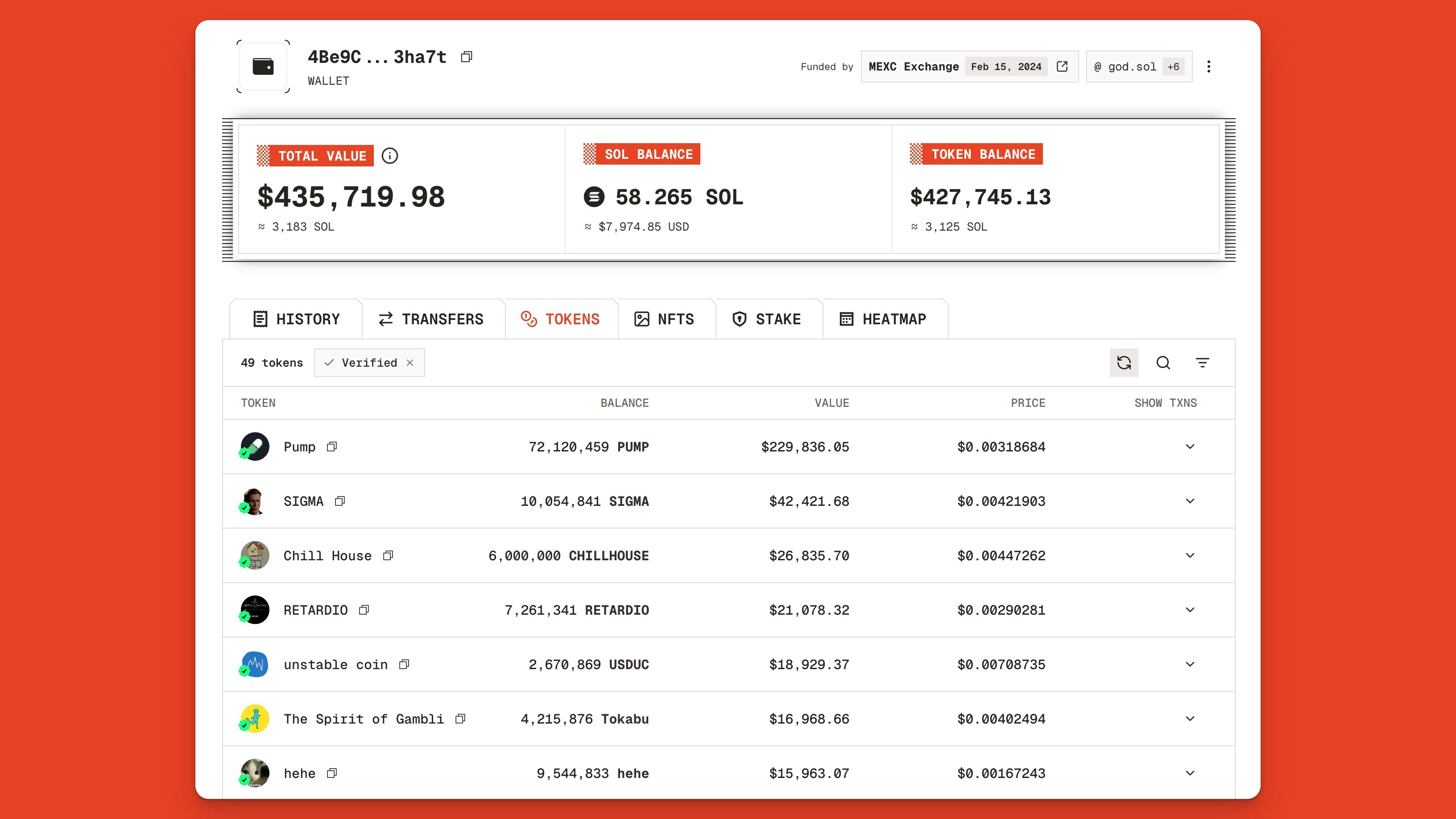
Orb’s Solana wallet explorer landing page
Explore NFTs in Your Wallet
Click the NFTs tab to view the NFTs in your wallet, and use filters to remove spam. To filter your view more, enable the Metaplex verified toggle or choose a collection from the dropdown menu.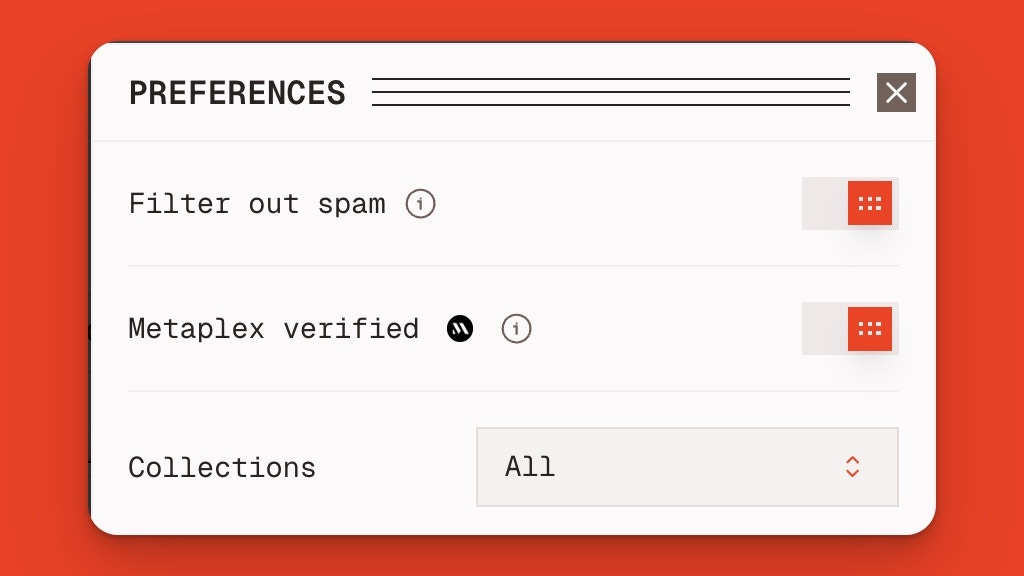
Solana NFT filtering options in Orb
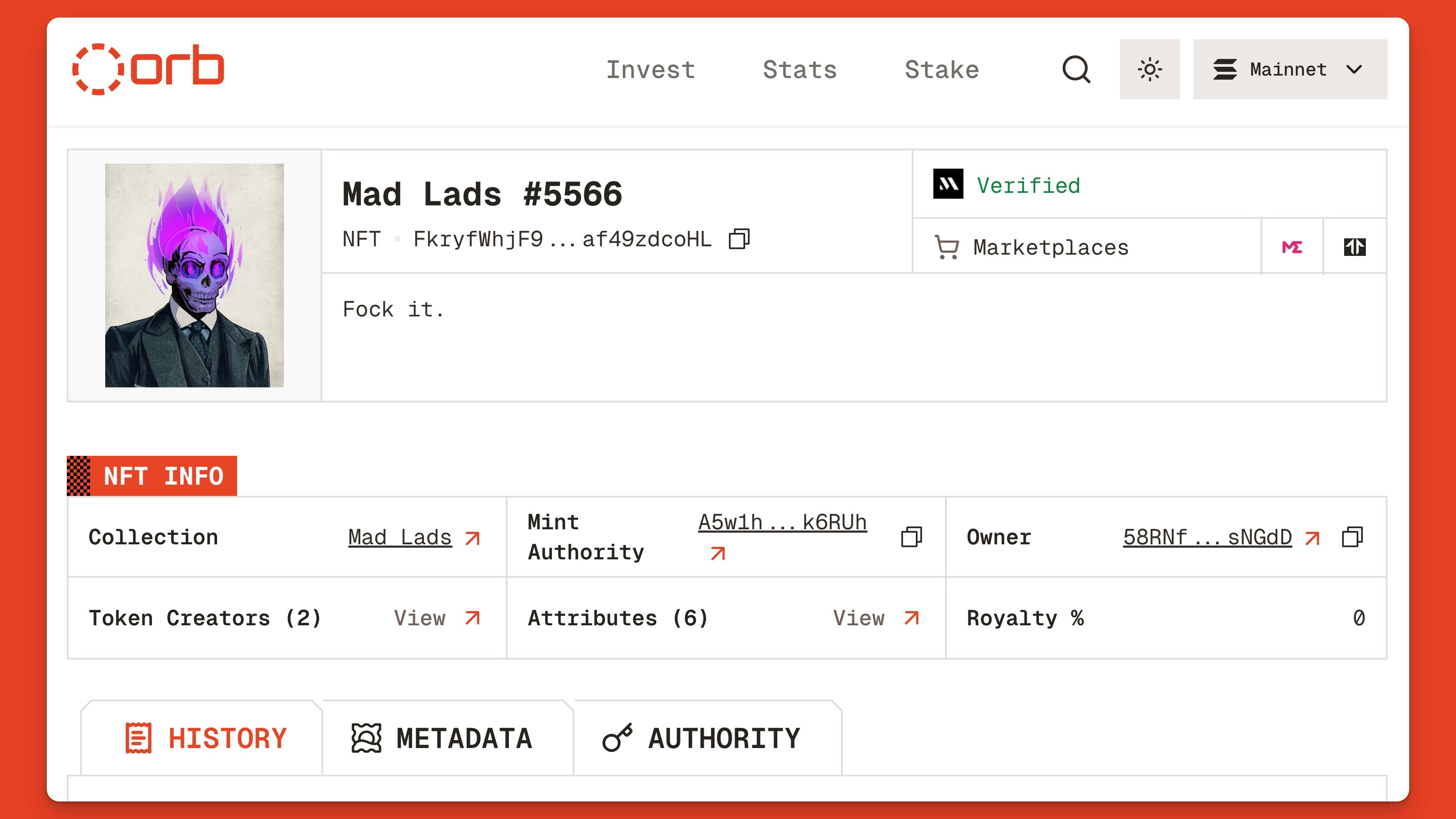
Orb’s Solana NFT explorer page for Mad Lad #5566
Monitor Wallet Stake Accounts
To see if your wallet has any stake accounts, click the Stake tab. This section will show your wallet’s total stake, staking status (e.g., active, activating, deactivating, inactive), the validator you’re staking to, stake amount, and the validator’s commission rate.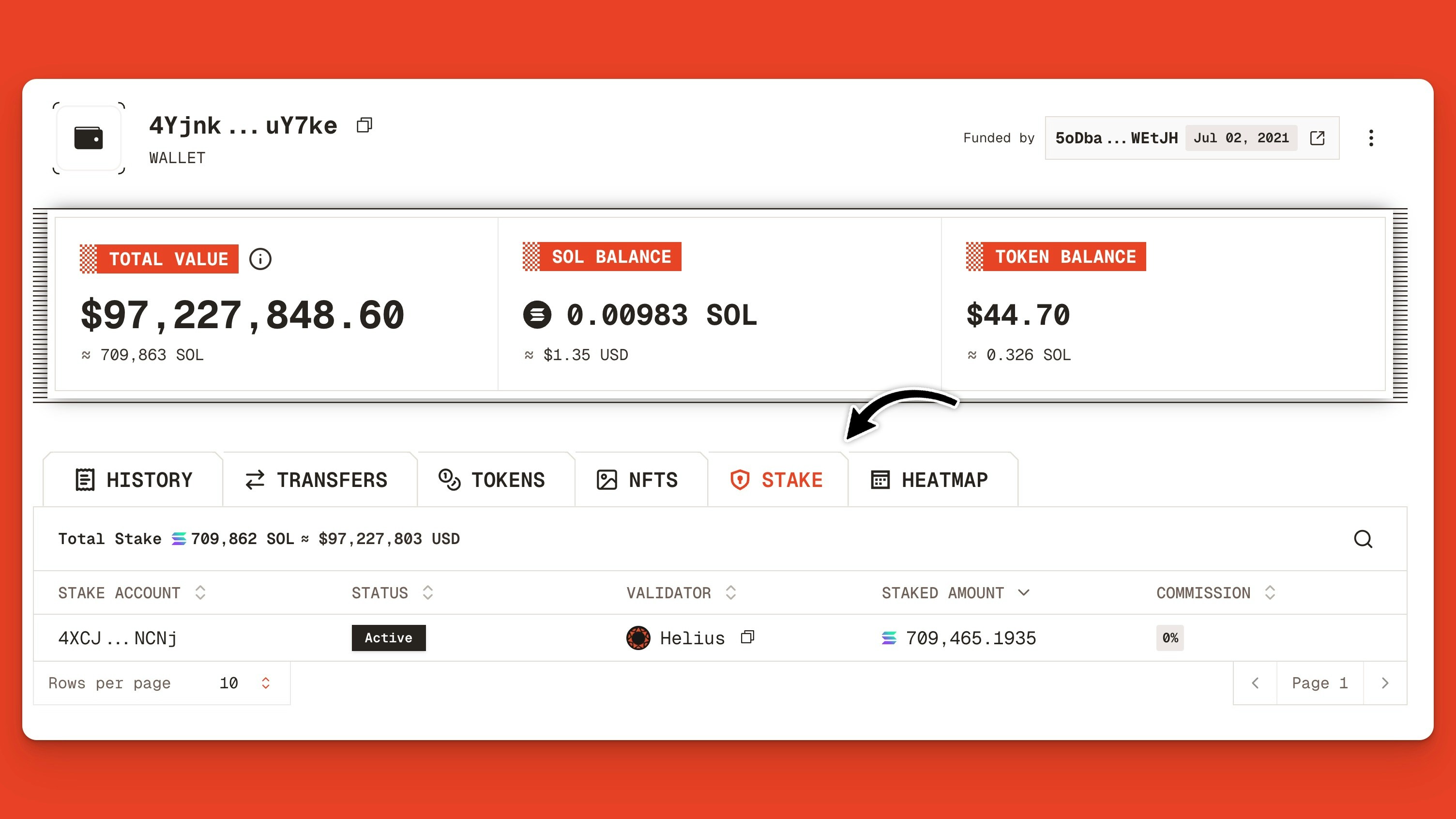
Explore Solana stake accounts for wallet 4Yjnk…uY7ke
Analyze Solana Wallet History
Orb’s wallet explorer also contains a history of transactions and transfers so you can look at recent history. To find specific transactions, apply one of Orb’s many wallet filtering options:- Transfer Direction: incoming or outgoing
- Date Range: look at transactions from a specific period
- To/From: limit results to or from a specific address
- Tokens: filter transactions by specific tokens
- Programs: filter transactions by programs
- Spam: hide spam transfers and transactions
- Show Oldest First: look up results in reverse
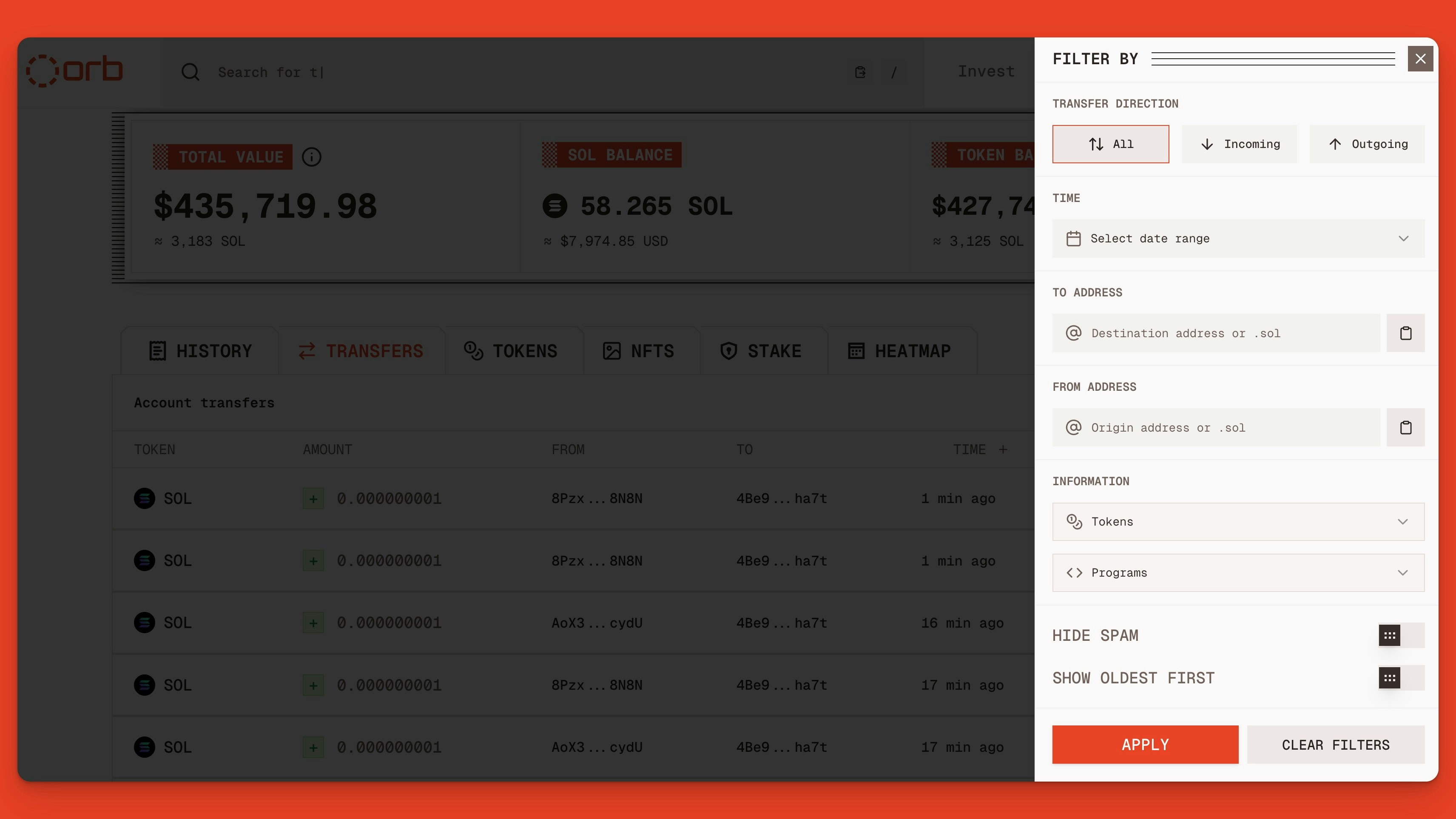
List of wallet transfer and transaction filters on the Orb explorer
Look Up Solana Wallet Heatmaps
To see a calendar view of all the days your wallet transacted on Solana, click Heatmap. Like the GitHub contribution graph, Orb’s transaction heatmap shows the last 6 months of activity with more active days in a bright orange and less active days in lighter shades.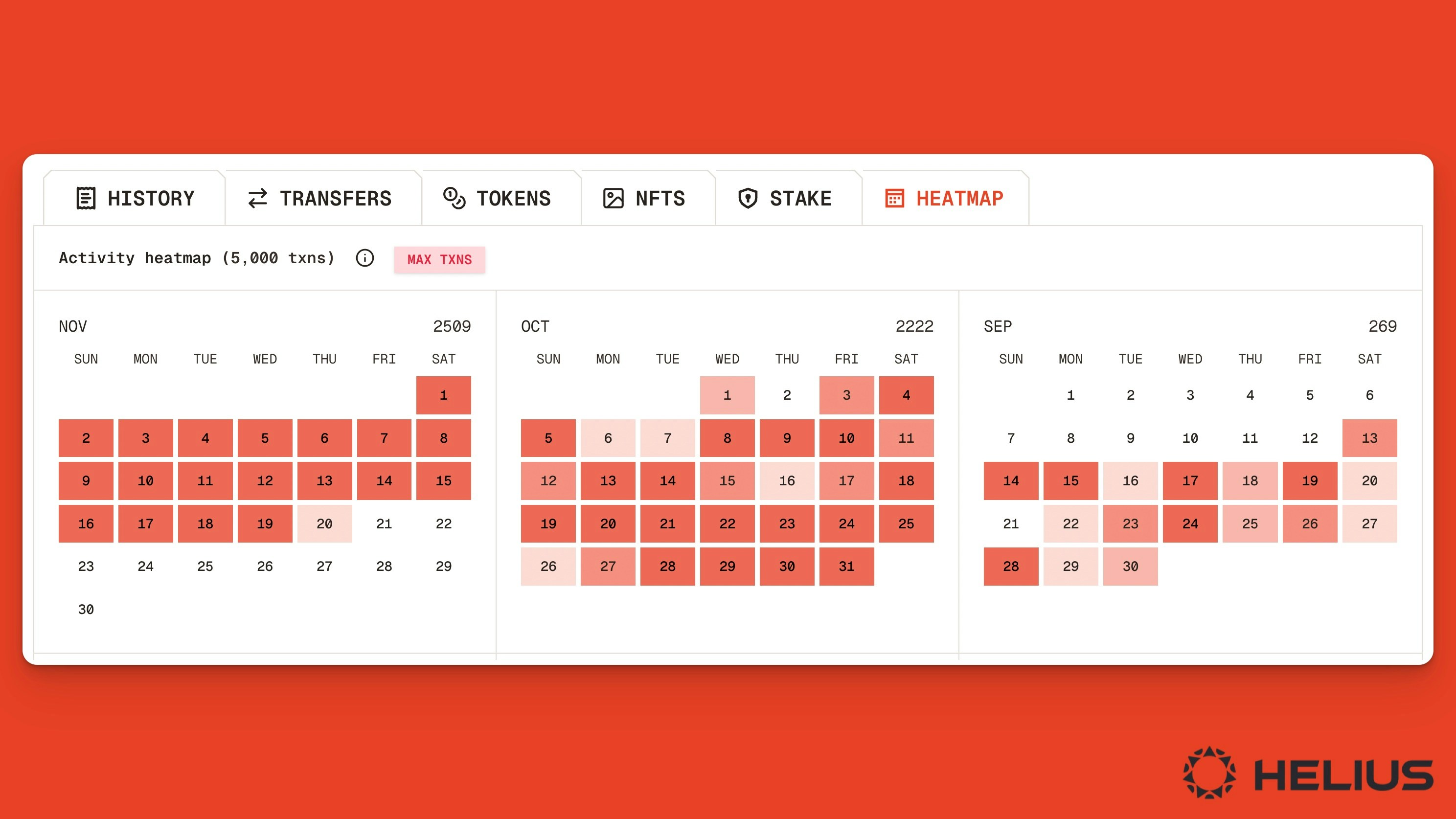
Transaction heatmap viewer on the Orb Solana wallet explorer
Note: Transaction heatmaps have a limit of 5,000 transactions per account.